How to Send Receipt Images
Tip: Upload clear images of receipts, screenshots, or text messages with all details visible to avoid delays in verification.
Learn the correct way to send receipt images to your landlord, including photos, screenshots, or text messages, with examples of what to do and avoid.
The Right Way
Ensure the image is clear and shows the full receipt, payment confirmation screenshot, or text message with the amount, transaction ID, and date.
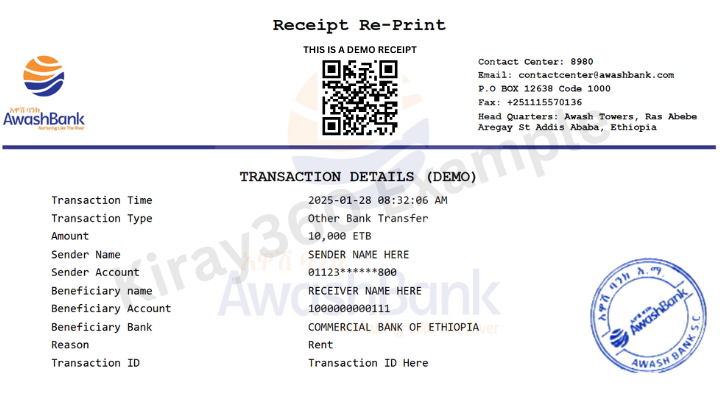
Example: Screenshot of a mobile payment confirmation with amount, transaction ID, and date.
The Wrong Way
Avoid blurry photos, cropped screenshots, or text messages missing key details like the amount, transaction ID, or date.
Warning: The following types of images will be rejected:
- • Blurry photos that obscure details.
- • Cropped screenshots missing key information (e.g., transaction ID or amount).
- • Text messages with incomplete data (e.g., missing transaction ID or date).
Last Updated: March 1, 2025